Business Process Automation Services
Move Work Across Teams and Systems With Less Manual Effort
WiserBrand helps companies map, redesign, and automate workflows that depend on repetitive tasks, manual handoffs, and disconnected systems. Our business process automation services cover process analysis, custom automation development, system integration, and ongoing optimization.
We can start with one process or coordinate work across several teams. We design around your existing tools, the people who use them, and the decisions that still need human review, with clear goals for how the workflow should perform.

4.9/5 client rating

Recognized growth company
Automating Rate Confirmation Processing
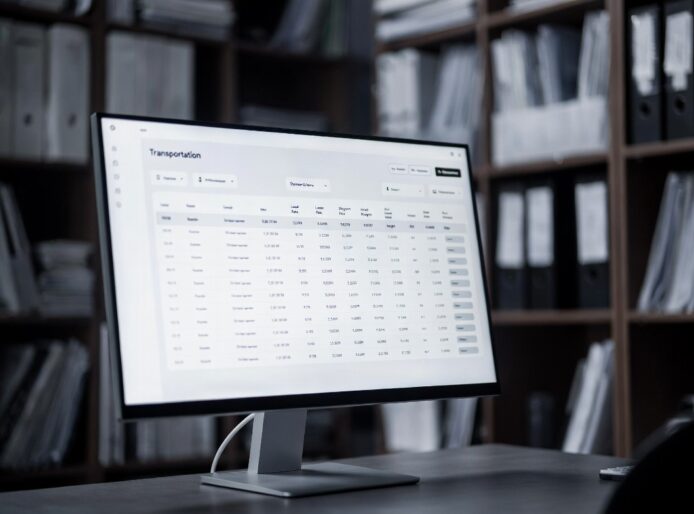
A transportation company was manually processing broker rate confirmations one by one, creating delays, data-entry errors, and limited visibility.

AI Automation for Product Image Operations
We built an AI-powered image pipeline for a furniture retailer, automating product image classification and enhancement across a large catalog.

AI Back-Office Automation for a Trucking Company
We helped a U.S. trucking company cut routine document processing from 20 minutes to under 30 seconds by turning broker paperwork and load data into one AI-powered workflow.

What Is Business Process Automation?
Business process automation (BPA) uses software to move work through a defined sequence of tasks, decisions, and system updates. A workflow might capture a request, check its data, route it to the right person, update connected systems, and record the outcome. It can cover one team’s routine work or a process shared by several departments.
Effective automation starts with a clear view of the current process: where work arrives, which systems hold the information, who makes decisions, and what happens when something is missing or unusual. That map guides the rules, integrations, and review steps built into the new workflow. Depending on the need, the solution may use features in existing software, custom applications, APIs, document processing, or AI.

Automated Task Routing

Business Rules & Data Validation

Integration With Existing Systems

Human Approvals & Exception Routing

Role-Based Access

Activity Logs
Our Business Process Automation Services
Our BPA services cover the work from understanding a process to building, connecting, and maintaining its automated workflow. An engagement can focus on one recurring handoff or a process that crosses several teams and systems.

Process Mapping & Analysis
We document how work moves today: what starts it, which people and systems take part, where decisions happen, and how exceptions are handled. We then identify delays, repeated data entry, avoidable rework, and steps that may be suitable for automation.
The result is a prioritized set of opportunities and a proposed workflow with defined owners, dependencies, and measures of success.
Includes:
- Current workflow and system mapping
- Bottleneck and exception analysis
- Automation feasibility and prioritization
- Proposed workflow and success measures

Custom Automation Development
We build custom business process automation around the rules and responsibilities of your operation. A workflow can capture and validate information, create or update records, route tasks, request approvals, and show employees what needs attention.
The design can combine defined business rules with document processing or AI where the input requires it. Review steps keep uncertain cases and consequential decisions with the right people.
Includes:
- Workflow logic and task routing
- Data capture and validation
- Approval and exception handling
- Employee views and status tracking
- Testing and deployment

Integration of Automation Tools
Automation often depends on information held in several applications. We connect the relevant CRM, ERP, finance, HR, support, or internal systems through their available interfaces, then define how data moves and which system owns each record.
Integration work covers field mapping, access permissions, failed transfers, and testing across the full workflow so teams can rely on the same information at each handoff.
Includes:
- System and interface assessment
- API connections and custom adapters
- Data mapping and synchronization
- Access and failure handling
- Integration testing

Maintenance & Optimization
Once a workflow is live, we review its performance and maintain the parts that depend on changing business rules, applications, and data. Support can include investigating failures, adjusting routing or validation, updating integrations, and extending automation to related steps.
Workflow status, exception rates, and cycle times help identify where the next improvement is needed.
Includes:
- Workflow monitoring and issue triage
- Rule and integration updates
- Performance and exception review
- Maintenance and enhancement support
Business Process Automation Case Studies
These projects show how automation can move information through operational, sales, and finance workflows while keeping review and approval with the responsible teams.


Start With the Process Slowing Your Team Down
Business Process Automation Use Cases by Industry
The right workflow depends on where information enters the business, which teams act on it, and what requires approval. These examples show how BPA can be applied to recurring work in different operating environments.
Retail & eCommerce
Retail workflows often cross storefronts, order systems, inventory records, and support queues. Automation can bring the relevant information together, apply defined policies, and route cases that need an employee’s decision.
- Check order and payment details when a return or refund request arrives.
- Update customer, order, and inventory records through approved system connections.
- Send policy exceptions or incomplete requests to the right support queue.

Financial Services
Finance and fintech teams can automate document intake, data checks, reconciliation preparation, and approval routing. Workflows should preserve access restrictions and leave financial judgments and final approvals with authorized staff.
- Collect required records for onboarding, reporting, or account reviews.
- Compare transactions or documents and flag differences for investigation.
- Route exceptions and approvals with a record of who reviewed each item.

Logistics & Supply Chain
Freight and supply-chain teams handle documents, shipment updates, settlements, and billing data across several systems. A connected workflow can reduce repeated entry and surface discrepancies before they move downstream.
- Extract load and rate details from incoming broker documents.
- Update shipment records and route missing information for review.
- Compare settlements with source records before invoicing preparation.

Manufacturing
Manufacturing workflows connect sales requests, product data, inventory, purchasing, and production. Automation can assemble the information needed for a quote or work order and alert employees when a shortage or exception needs attention.
- Gather product, price, and availability data for quote preparation.
- Route work orders and purchasing requests through defined approvals.
- Flag mismatches between orders, inventory, and production records.

Property Management
Property teams coordinate maintenance work across operations, vendors, and finance. Automation can check whether a completed work order has the information needed for billing, then prepare the next step for review.
- Check property, vendor, charge, and approval details on work orders.
- Route missing information and possible duplicates to responsible employees.
- Prepare invoice drafts linked to source records for finance review.

SaaS & Technology
Technology companies can connect internal requests, employee records, time tracking, and service systems as teams grow. Automation helps move routine work through a defined path while keeping access and approvals aligned with each team’s responsibilities.
- Route employee requests and onboarding tasks to the right owners.
- Synchronize approved data across HR, project, and finance tools.
- Track request status and exceptions across distributed teams.

Business Process Automation Challenges We Help Solve
An automated workflow has to reflect how work actually happens, including incomplete inputs, changing priorities, and decisions that need a person. We address those conditions when selecting, designing, and operating an automation solution.
Selecting the Right Process to Automate
High-volume work is a useful candidate, but volume alone does not show whether automation will help. We assess time spent, delays, rework, system access, and the clarity of the business rules, then define a first scope and measures that can show whether it improved the process.
Unwritten Rules and Exceptions
Employees often know how to handle missing documents, conflicting values, and unusual requests even when those steps are absent from a process diagram. We work with the people doing the job to document these cases and decide which can follow a rule, which need more information, and which require human judgment.
Fragmented Systems and Conflicting Records
The same customer, order, or transaction may appear in several applications with different fields or update schedules. We identify the system that owns each record, map the data exchanged between tools, and define what happens when a transfer fails or the information does not match.
Access and Approval Boundaries
Some workflow steps involve sensitive data or changes that need authorization. We define who can see a record, which actions the automation may perform, where an employee must approve, and what activity should be recorded for later review.
Rollout and Employee Adoption
A new workflow changes how people receive tasks and resolve exceptions. We involve process owners and users in design, test with representative work, explain new responsibilities, and adjust the flow based on their feedback before expanding its use.
Maintaining Results After Launch
Rules, workloads, and connected systems change. We track measures such as cycle time, backlog, exceptions, and failed transfers against the original goals, then maintain the workflow and prioritize improvements where the data shows a recurring problem.
Business Process Automation Engagement Models
The right way to work together depends on how clearly the target process is defined, how many teams and systems are involved, and who will own the workflow after launch. These options can serve a growing business starting with one process or an enterprise coordinating a broader automation program.
Assessment & Pilot
We map a priority workflow, assess its data and system dependencies, and build a focused pilot using representative cases. The pilot tests the proposed rules, integration path, review steps, and success measures before a wider rollout is planned.
Dedicated Automation Team
A dedicated team works with your leads on an ongoing backlog of process improvements, custom workflows, integrations, testing, and support. Priorities can change as new opportunities and operational requirements emerge.
End-to-End Implementation
WiserBrand manages discovery, workflow design, development, integration, testing, deployment, and the agreed support scope for a defined solution. Deliverables, dependencies, review points, and acceptance criteria are established before implementation.
Tell us which process you want to improve, where its data lives, and who will use the resulting workflow. We can recommend a practical starting scope and working model.
Trusted by Leading Brands







Our Business Process Automation Implementation Process
We use five stages to move from a documented process to an operating workflow. The ranges below are indicative for one focused workflow with accessible systems. We confirm the schedule during assessment based on the data, integrations, decisions, and exceptions involved.
Map the current process and choose a starting scope
Define rules, data flows, approvals, and failure paths
Build the workflow and connect its systems
Validate real cases and prepare users for launch
Monitor results and refine the workflow
Discovery & Assessment
1 weekWe trace the process from the first request or event to its final outcome. Discussions with process owners and employees reveal manual work, decisions, exceptions, and system dependencies. We establish a baseline and select a workflow that can be evaluated against clear goals.
- Current tasks, handoffs, and process owners
- Systems, data sources, and access needs
- Work volume, delays, rework, and exceptions
- Initial scope and acceptance measures
Solution Design
1–2 weeksWe design the future workflow, including normal cases, missing or conflicting information, system failures, and decisions that stay with employees. The design specifies data ownership, integrations, routing, permissions, and how users will see and resolve work.
- Workflow rules and exception paths
- Data mapping and integration design
- Roles, approvals, and activity records
- Test scenarios and release criteria
Development & Integration
3–5 weeksWe implement the workflow and connect it to the agreed business systems. Development includes the rules, data checks, task views, notifications, and integration behavior required by the design. Technical and workflow tests run as components are built.
- Workflow and user-facing components
- API and data integrations
- Validation, error handling, and records of activity
- Automated and integration tests
Testing & Rollout
1–2 weeksWe test representative work as well as incomplete inputs, permission failures, unavailable systems, and exception routes. Intended users review the workflow and its responsibilities before launch. The initial rollout can be limited to a team, process, or set of actions while results are observed.
- Business and user acceptance tests
- Access and failure-path checks
- User guidance and operating procedures
- Launch review and monitoring setup
Support & Optimization
Ongoing after launchAfter launch, we review workflow performance, failed runs, exceptions, and employee feedback against the agreed measures. We resolve issues, update rules or integrations when requirements change, and plan the next improvements with the process owner.
- Performance and exception review
- Issue investigation and maintenance
- Rule and integration updates
- Improvement planning
Get started with WiserBrand
Let’s begin your project journey
Prompt Response
We’ll contact you within 24 business hours to discuss your project
Exploratory Call
A 15-20 minute call to discuss your needs and goals
Tailored Proposal
Receive a custom proposal with recommended next steps
or
Pick a time that works for you, and let’s hop on a call
Frequently Asked Questions
Answers to common questions about business process automation, system integration, delivery, and ongoing support.
Business process automation uses software to carry work through defined tasks, rules, system updates, and approvals. It can support workflows such as document intake, employee requests, order handling, settlement checks, and invoice preparation.
Start with a process that consumes meaningful staff time or creates recurring delays and rework. A strong first candidate has a clear owner, accessible data, repeatable steps, and a measurable baseline. Discovery helps compare opportunities and identify any rules or data issues that should be resolved first.
No. Many workflows can run on defined rules, forms, APIs, and existing platform features. AI may help when inputs include varied documents, messages, or other unstructured information. We choose the approach based on the task, data, review needs, and operating cost.
BPA coordinates a business workflow across tasks, people, and systems. Robotic process automation (RPA) handles specific repetitive actions through a software interface and can be one part of a BPA solution. Business process management (BPM) is the broader practice of designing, measuring, and improving processes, whether or not a step is automated.
Yes, when the required data and actions are available through supported APIs, files, database interfaces, or other approved connections. We assess the relevant CRM, ERP, finance, HR, support, or internal tools, then define data mapping, permissions, and failure handling. Available interfaces and platform licensing can affect the final scope.
The workflow defines which tasks can proceed automatically and which need a person. Missing information, conflicting records, unusual requests, or consequential changes can be routed to a named reviewer with the context needed for a decision. The approved action and its outcome can be recorded in the workflow.
The planning ranges in our five-stage process add up to roughly 6–10 weeks for one focused workflow with accessible systems, followed by ongoing support. A schedule is confirmed after assessment; additional integrations, data preparation, or approval requirements can extend delivery.
Cost depends on the number of workflows and systems, integration effort, data quality, access and approval requirements, testing, and support scope. We estimate the work after reviewing the target process and its dependencies, with any relevant platform or licensing costs identified separately.
We can monitor workflow performance, investigate failures, update rules and integrations, and prioritize improvements based on operating data and user feedback. The support arrangement is defined as part of the engagement.